ActiveSend
“ActiveSend integrates OWA with Microsoft Office so users can easily send attachments from within applications. It can’t get much better than that can it?”

Messageware ActiveSend

ActiveSend provides Outlook-like convenience and productivity to Outlook Web App users by integrating OWA with computer desktop and web applications.

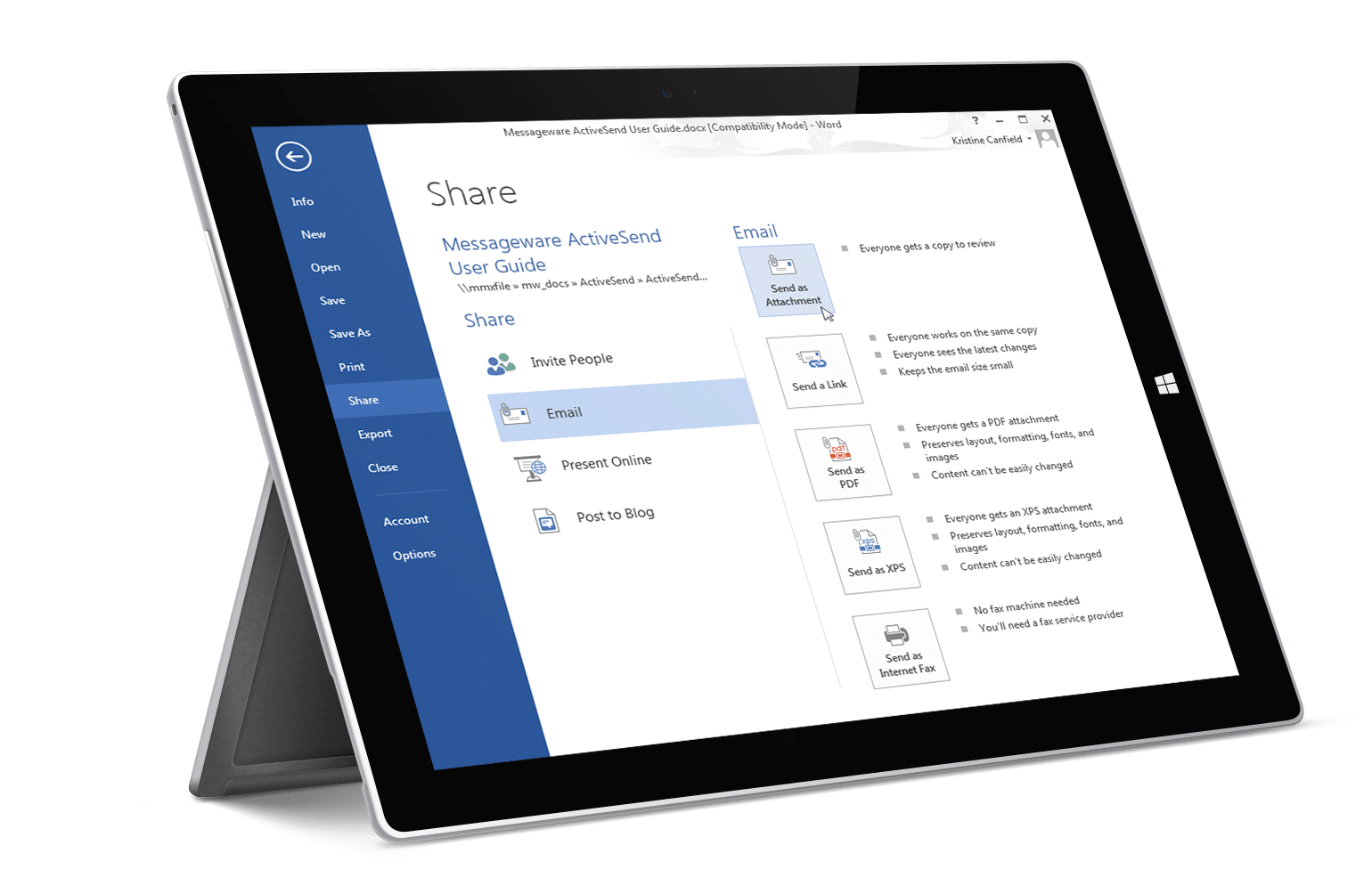
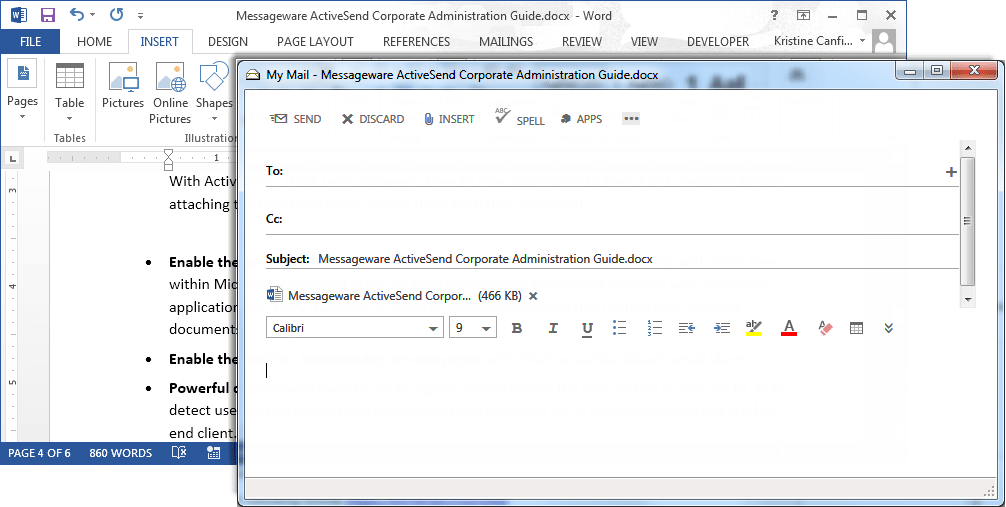
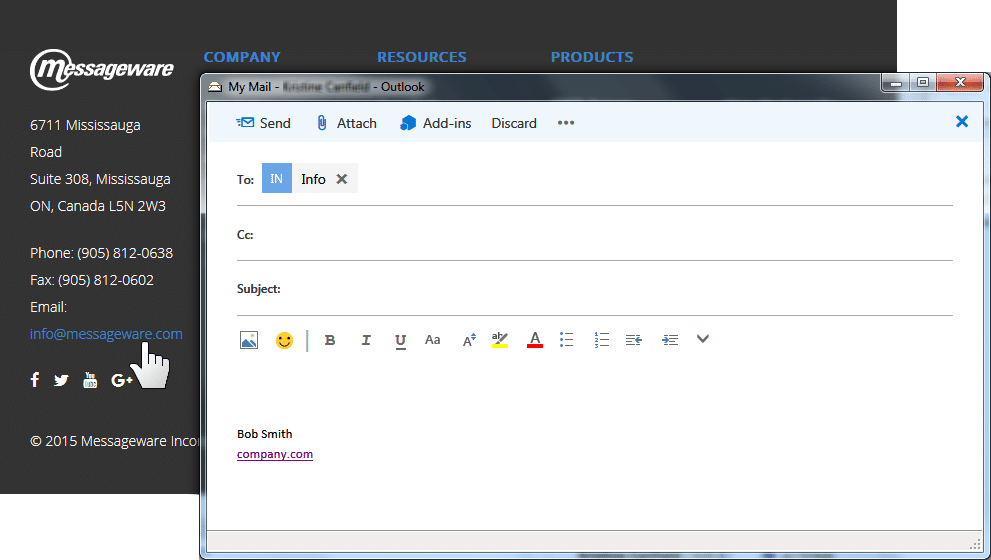
ActiveSend connects your office applications to OWA, making it possible to send email from within Microsoft Office and other desktop applications. With ActiveSend you can use the single click File/SendTo command from within the office application and the “Mail to” functionality on web pages with OWA as the default email; two functions that are not available with native OWA.

Without ActiveSend: If a user is working within a word document and wants to send the open document by email using OWA, they would need to go through a lengthy process of first saving the document, starting up OWA (if it is not currently running), logging on, composing a message and finally attaching the file and pressing send.

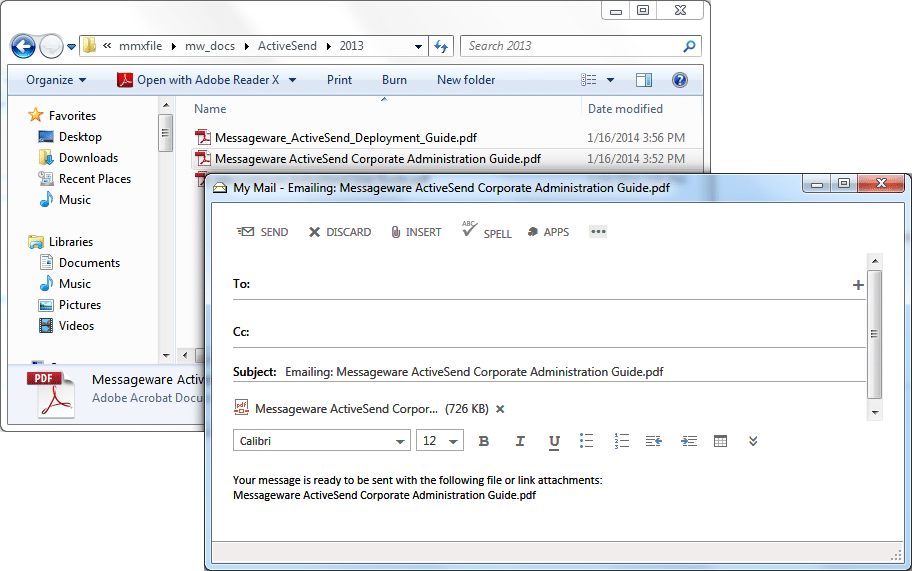
With ActiveSend: one-click and the file is ready to send.

Exchange 2010

Key Features: ActiveSend For Exchange 2010

  • Increase User Productivity by integrating OWA with the computer desktop and web applications. With ActiveSend, OWA users no longer have to save documents to their local computer and attach files to an email, saving time and effort.
  • On-Premise and Hosted Services including Office365, live@edu, BPOS and third party service providers are supported.
  • Send Email with OWA from within Microsoft Office and desktop applications. ActiveSend connects your office applications to OWA, making it possible to send email from within Microsoft Office and other desktop applications.
  • Enable MailTo functionality on web pages with OWA as the default mail client.
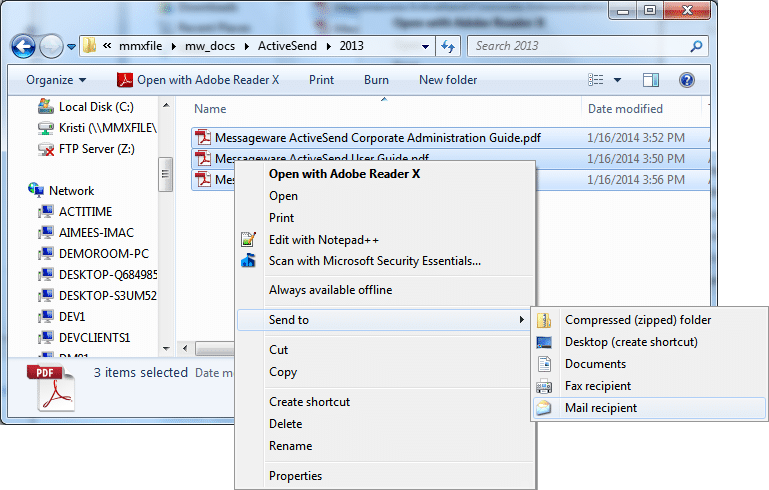
  • Email Multiple Files with a single click from within office applications and windows explorer using OWA as the default mail client.
  • Add Outlook Functionality to OWA to ease the transition for Outlook users to OWA.
Free Trial
Enable the MailTo functionality on web pages, with OWA as the default.
  • Use OWA to send email from within Microsoft Office and desktop applications.
  • Quickly email multiple files in a single click using OWA as the default email.
  • Easily toggle between OWA and other email accounts.
  • Save your username and password securely to email files with a single click.
Click image to see the screenshot gallery.

Messageware Software For Exchange 2010

Exchange 2007

Key Features: ActiveSend For Exchange 2007

  • Increase User Productivity by integrating OWA with the computer desktop and web applications. With ActiveSend, OWA users no longer have to save documents to their local computer and attach files to an email, saving time and effort.
  • On-Premise and Hosted Services including Office365, live@edu, BPOS and third party service providers are supported.
  • Send Email with OWA from within Microsoft Office and desktop applications. ActiveSend connects your office applications to OWA, making it possible to send email from within Microsoft Office and other desktop applications.
  • Enable MailTo functionality on web pages with OWA as the default mail client.
  • Email Multiple Files with a single click from within office applications and windows explorer using OWA as the default mail client.
  • Add Outlook Functionality to OWA to ease the transition for Outlook users to OWA.
Free Trial
Use OWA to send email from within Microsoft Office and desktop applications
  • Enable the Mail To functionality on web pages with OWA as the default
  • Quickly email multiple files in a single click using OWA as the default email.
  • Easily toggle between OWA and other email accounts.
  • Save your username and password securely to email files with a single click.
Click image to see the screenshot gallery.

Messageware Software For Exchange 2007

Exchange 2003

Key Features: ActiveSend For Exchange 2003

  • Increase User Productivity by integrating OWA with the computer desktop and web applications. With ActiveSend, OWA users no longer have to save documents to their local computer and attach files to an email, saving time and effort.
  • On-Premise and Hosted Services including Office365, live@edu, BPOS and third party service providers are supported.
  • Send Email with OWA from within Microsoft Office and desktop applications. ActiveSend connects your office applications to OWA, making it possible to send email from within Microsoft Office and other desktop applications.
  • Enable MailTo functionality on web pages with OWA as the default mail client.
  • Email Multiple Files with a single click from within office applications and windows explorer using OWA as the default mail client.
  • Add Outlook Functionality to OWA to ease the transition for Outlook users to OWA.
Free Trial
Use OWA to send email from within Microsoft Office and desktop applications
  • Enable the Mail To functionality on web pages with OWA as the default
  • Quickly email multiple files in a single click using OWA as the default email.
  • Easily toggle between OWA and other email accounts.
  • Save your username and password securely to email files with a single click.
Click image to see the screenshot gallery.

Messageware Software For Exchange 2003

Earlier Versions

Messageware Software For Earlier Versions of Exchange (2000/5.5)

For more information about earlier versions of this product please contact us.